

集成 Grok Build
grok 集成从 Grok Build 的运行主机治理这个终端 agent。在 read-only mode 下,它读取
TOML 配置、sandbox profile、MCP server 名称、系统 requirement,以及用于禁用 hook 的文件。
它也可以接收 OTLP trace。这不是 xAI API 连接器:它不查询 remote model,也不需要 provider secret。
预防性工具控制使用 olivares grok-hook 和一个独立的本地 PEP。
本页是 连接器与 PEP hook 路径。要安装或验证官方 CLI、记录探测回执、启动或停止受治理会话,
请使用 安装 Grok CLI。运行路径是
运行提供商会话
(用 OLIVARES_SESSION_RUNTIME_GROK_BIN 显式选择可执行文件;未设置时,先使用最新的已验证托管安装,
再查找引擎 PATH 中的 grok,并使用提供商配置文件)。那里不断言与已认证官方 Grok 账户的兼容性。
添加 Grok Build
Section titled “添加 Grok Build”- Olivares AI 与 Grok Build 安装在同一主机上,或者 Grok 配置路径以 read-only 方式挂载到 连接器主机。
- 用于归属 posture 的 tenant UUID。
- Olivares 服务账户有权读取
~/.grok/config.toml、/etc/grok/requirements.toml、~/.grok/disabled-hooks,以及配置时兼容的managed-settings.json。 - 如果从控制台创建 source,需要 superadmin 账户。管理操作的写入遵循追加认证策略
(
admin_step_up,默认为none)。
不要为此 source 输入 xAI key。它没有 secret field,也不进行 inference API call。
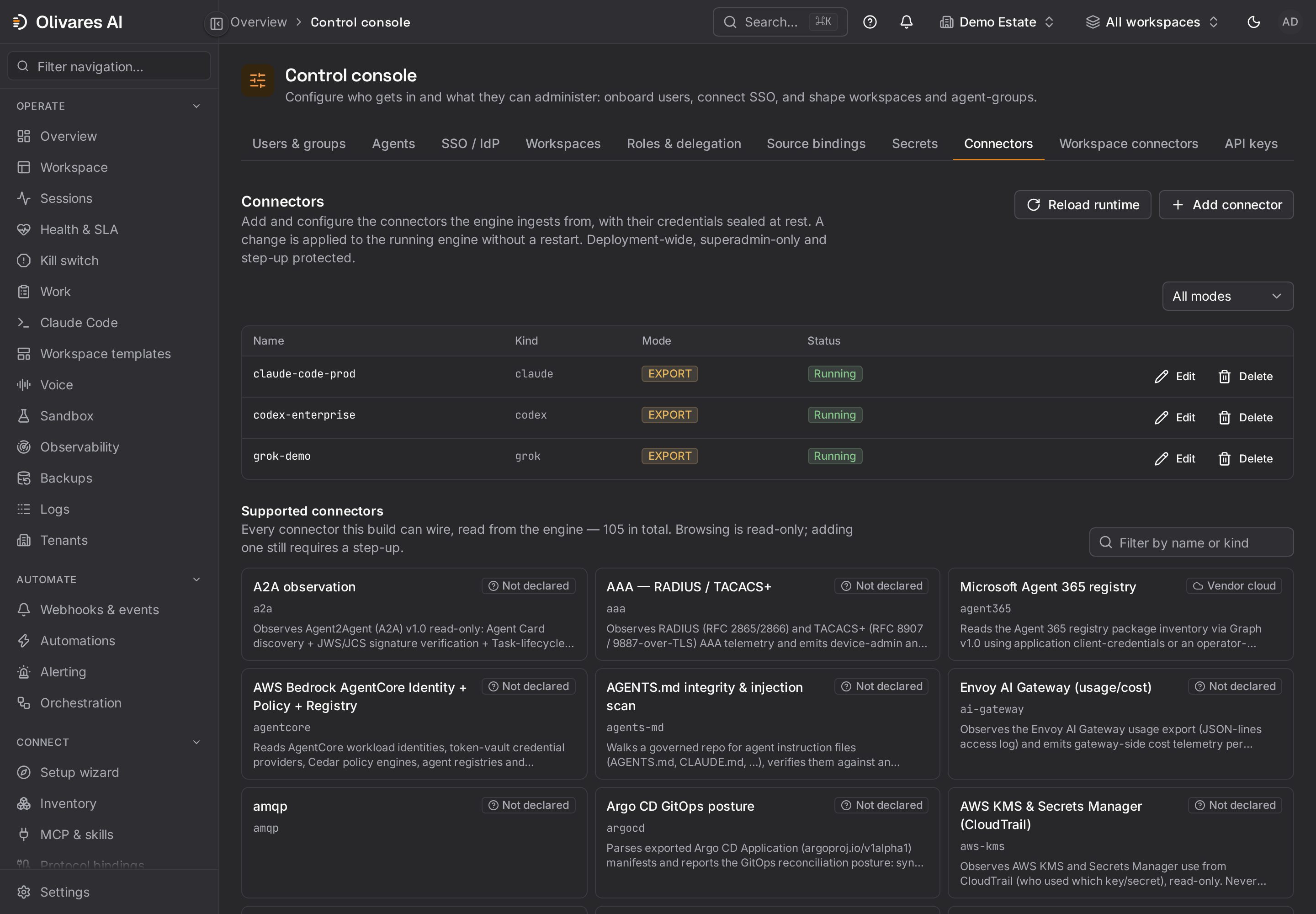
- 打开 Control console(
/console),选择 Connectors 标签页。 - 添加一个类型为
grok的 source,名称使用grok-demo(或稳定的主机名),并指定 tenant、 batch interval 和启用状态。60秒可在 pilot 中显示 posture change,同时不会把本地文件读取 变成连续 loop。 - 保存 source,选择 Test,然后重新加载 roster。该行只确认 roster entry;之后的第一个
Gather才会读取文件并发出 finding。
配置 Grok Build
Section titled “配置 Grok Build”1. 主机 inventory 与 requirement
Section titled “1. 主机 inventory 与 requirement”| Source 设置 | 默认值 | 测量内容 |
|---|---|---|
agent_ref |
grok-build |
包含在 finding 中的稳定引用。 |
config_path |
~/.grok/config.toml |
用户声明的 sandbox profile 和 MCP server 名称。 |
requirements_path |
/etc/grok/requirements.toml |
约束 effective configuration 的系统层。 |
disabled_hooks_path |
~/.grok/disabled-hooks |
用户禁用的 hook 名称,每行一个。 |
managed_settings_path |
空 | Grok 出于兼容性而遵循的 Claude Code managed-settings.json;空表示“未测量”。 |
otlp_http |
false |
trace 接收端;operator 预留端口前保持禁用。 |
在 Linux 上,强制执行 sandbox 的最低 requirement 是:
[sandbox]profile = "strict"请以管理员所有权把它分发到 /etc/grok/requirements.toml。strict 会把 write 限制在 workspace、
~/.grok/ 和临时目录,并按文档中的 Linux guarantee 阻止 network access。
~/.grok/config.toml 中的相同值只是一项用户 preference:command-line option 和环境可能影响配置,
而 requirements.toml 才是约束层。
要限制 MCP,只在 requirements.toml 中声明 fleet 可使用的
[mcp_servers.<nombre-aprobado>] table。Olivares 清点的是名称,而不是 table 中的 command、URL
或 credential。文件缺失、文件不可读、文件存在但没有 [mcp_servers] 会产生不同状态;“未测量”
绝不会显示为“无”。
Grok 还可以为兼容性读取 /etc/claude-code/managed-settings.json。仅当 Olivares 需要测量该 surface
时才设置 managed_settings_path。不要未经验证就复用 Claude hook:Grok payload 使用 camelCase
key 和 snake_case event,并且需要 olivares grok-hook。
2. 受治理的 hook
Section titled “2. 受治理的 hook”通过已部署 Grok version 的原生 discovery mechanism 安装 olivares grok-hook:可以使用 Grok
从中读取 hooks key 的 settings JSON 文件,也可以使用 ~/.grok/hooks/ 等 hook 目录中的
*.json 文件。Grok 按名称加载这些文件。Olivares 不定义完整的 authoring wrapper,此 tree 也不
保留它;请使用已安装版本的 schema,并把 command 精确设置为:
olivares grok-hookOlivares 启动时,如果 OLIVARES_GROK_HOOK_PEP_CONFIG 指向有效配置,PEP 就会 mount:
{ "listen": "127.0.0.1:8449", "tenant": "11111111-1111-4111-8111-111111111111"}每个 instance 治理一个 tenant,并要求 firm identity。client 读取
OLIVARES_GROK_HOOK_URL、OLIVARES_GROK_HOOK_TOKEN、OLIVARES_GROK_HOOK_TENANT、
OLIVARES_GROK_HOOK_AGENT、OLIVARES_GROK_HOOK_ORG 和 OLIVARES_GROK_HOOK_ACCOUNT。
通过 process 和 secrets manager 提供这些值;token 不应放进 hook JSON。
赋予 hook 的名称很重要。用户可以把它加入 ~/.grok/disabled-hooks,dispatcher 随即会省略它,
无论它是否来自受管层。requirements.toml 和 MDM 都不约束该文件。连接器会读取它,并发出一个
包含已禁用名称的 high-severity finding,但无法阻止禁用操作。
3. 可选 OTLP trace
Section titled “3. 可选 OTLP trace”当 otlp_http=true 时,接收端默认监听 127.0.0.1:4318,并接受 Grok Build 实测使用的路径
POST /v1/traces。该未认证 input 必须限制在 loopback。如果其他连接器已占用 4318,请选择未使用的
本地端口,并把同一值应用于 otlp_http_addr 和 agent 的 OTLP endpoint。
collection 会把 trace 缩减为 attribution、span 名称和 session_id,不会保留 content。在此版本中,
下一次 poll 会发出一个带有 span、session 和 drop count 的 aggregate finding。timeline 与每个工具的
控制请使用 hook。
CLI 用法
Section titled “CLI 用法”以下示例于 2026 年 8 月 30 日使用 worktree 二进制文件运行。省略了一般启动消息。
注册本地 source
Section titled “注册本地 source”olivares sources set \ --data-dir /var/lib/olivares \ --name grok-demo \ --kind grok \ --tenant 11111111-1111-4111-8111-111111111111 \ --poll-seconds 60 \ --actor platform-operator \ --reason integration-guide-rolloutcreated source "grok-demo" (kind "grok", tenant "11111111-1111-4111-8111-111111111111", enabled true) kind: - → grok tenant: - → 11111111-1111-4111-8111-111111111111 poll_seconds: - → 60 enabled: - → true→ reload a running engine to apply: POST /v1/console/runtime/reload, or `kill -HUP <pid>` (it also applies at next boot)使用 SQLite 时,请在 offline roster mutation 前停止 engine,或使用在线控制台。使用 PostgreSQL 时,
command 可以与 engine 并行运行。--actor 和 --reason 会归属 provenance change。
对于非默认路径,请添加明确的配置值:
olivares sources set \ --data-dir /var/lib/olivares \ --name grok-demo \ --config config_path=/srv/grok-home/.grok/config.toml \ --config requirements_path=/etc/grok/requirements.toml \ --config disabled_hooks_path=/srv/grok-home/.grok/disabled-hooks \ --config managed_settings_path=/etc/claude-code/managed-settings.json \ --actor platform-operator \ --reason grok-paths-for-service-user连接测试与实际文件读取
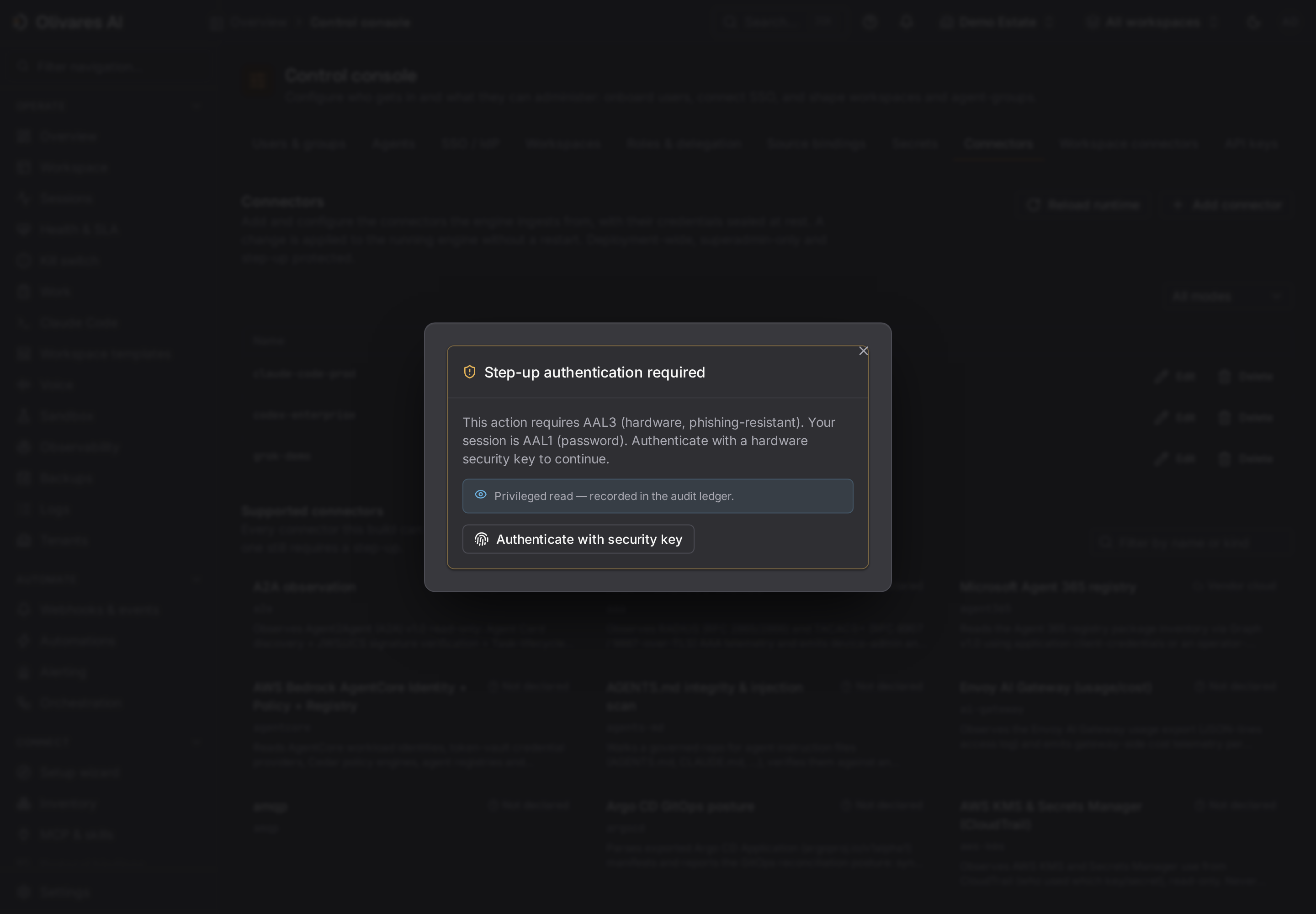
Section titled “连接测试与实际文件读取”2026 年 8 月 30 日在截图主机上完成的可复现测量得到以下结果:
olivares sources test \ --data-dir /var/lib/olivares \ --name grok-demo \ --timeout 20sconfiguration: VALID (everything that can be decided without the network)source "grok-demo" (grok): ANSWERED — the connector opened with this configuration and was closed againNO SOURCE ROW WAS WRITTEN and nothing was wired into a running engine.process 以 code 0 退出。该主机有一个活跃的 Grok session,且 ~/.grok/config.toml 存在;
/etc/grok/requirements.toml 和 ~/.grok/disabled-hooks 不存在。sources test 没有读取它们:
Open 只 resolve 配置,而 test 不调用 Gather 就立即关闭。因此 ANSWERED 不能证明 session、
sandbox 或 finding。若要测试文件读取,请重新加载 engine,并检查下一次 poll 发出的 finding。
验证 hook client 的 fail-closed 行为
Section titled “验证 hook client 的 fail-closed 行为”endpoint 未配置时:
printf '%s' '{"hookEventName":"pre_tool_use","sessionId":"s-1","toolName":"Bash"}' | olivares grok-hook标准输出:
{"decision":"deny","reason":"no governance endpoint is configured (deny-closed)"}标准错误:
no governance endpoint is configured (deny-closed)exit code 为 2,Grok 将其解释为对 pre_tool_use 的 veto。对于其他 event,拒绝会被记录,但不能阻止
action;client 会在 stderr 上报告这一点,而不会声称执行了 enforcement。
Control console
Section titled “Control console”| 位置 | 显示内容 | 运维限制 |
|---|---|---|
Control console > Connectors(/console) |
grok roster、已配置路径、interval、mode,以及 Test/Save/Reload action。 |
test 打开并关闭连接器,但不读取 TOML 文件。 |
Health > Connectors(/health) |
source 状态、消息、趋势和最近 poll。 | process health 不能证明缺失文件已受到治理。 |
Observability > Ingestion(/observability) |
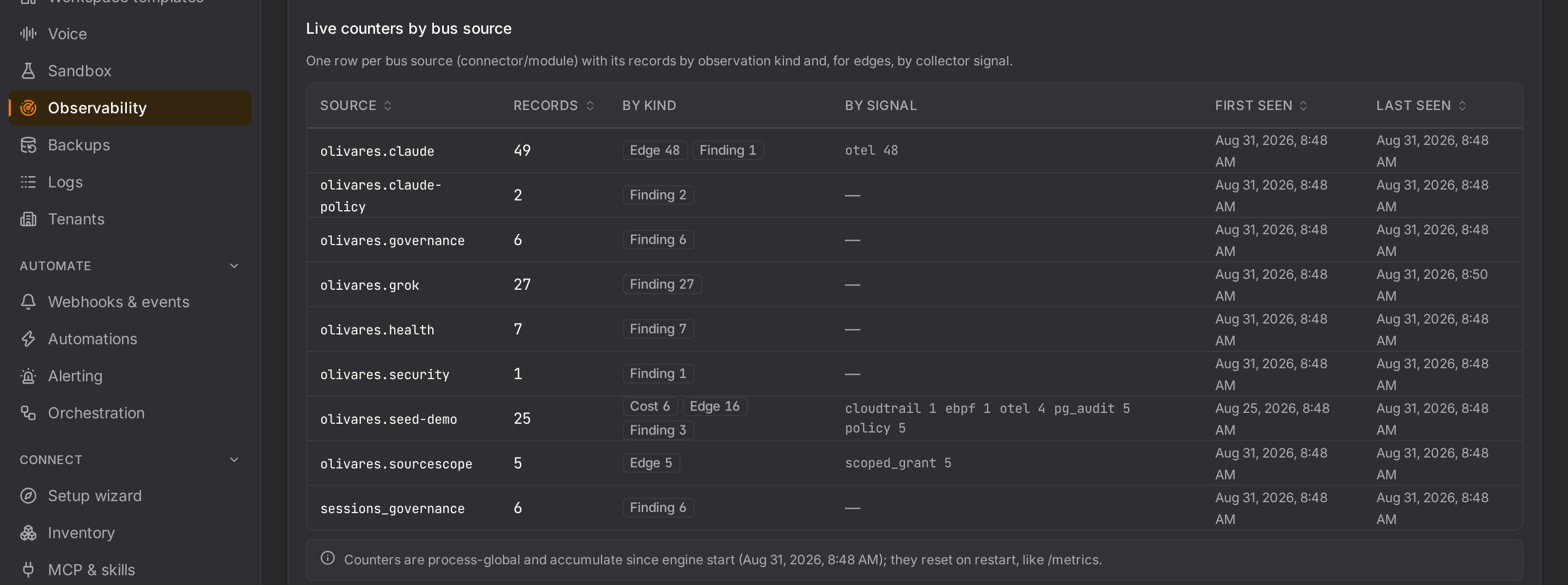
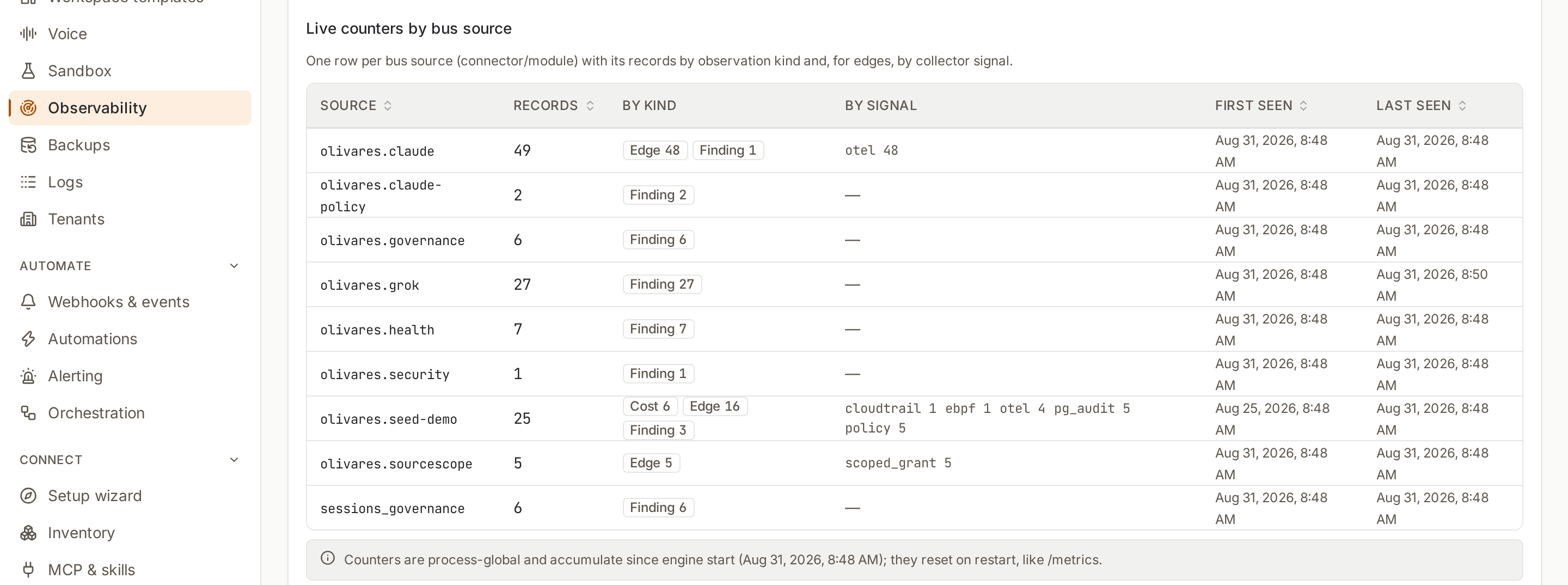
olivares.grok 发出的 finding、首个/末个 record,以及启用时的 aggregate OTLP activity。 |
自启动以来的 process 全局 counter;它们会归零,且不按 tenant 区分。 |
Security(/security) |
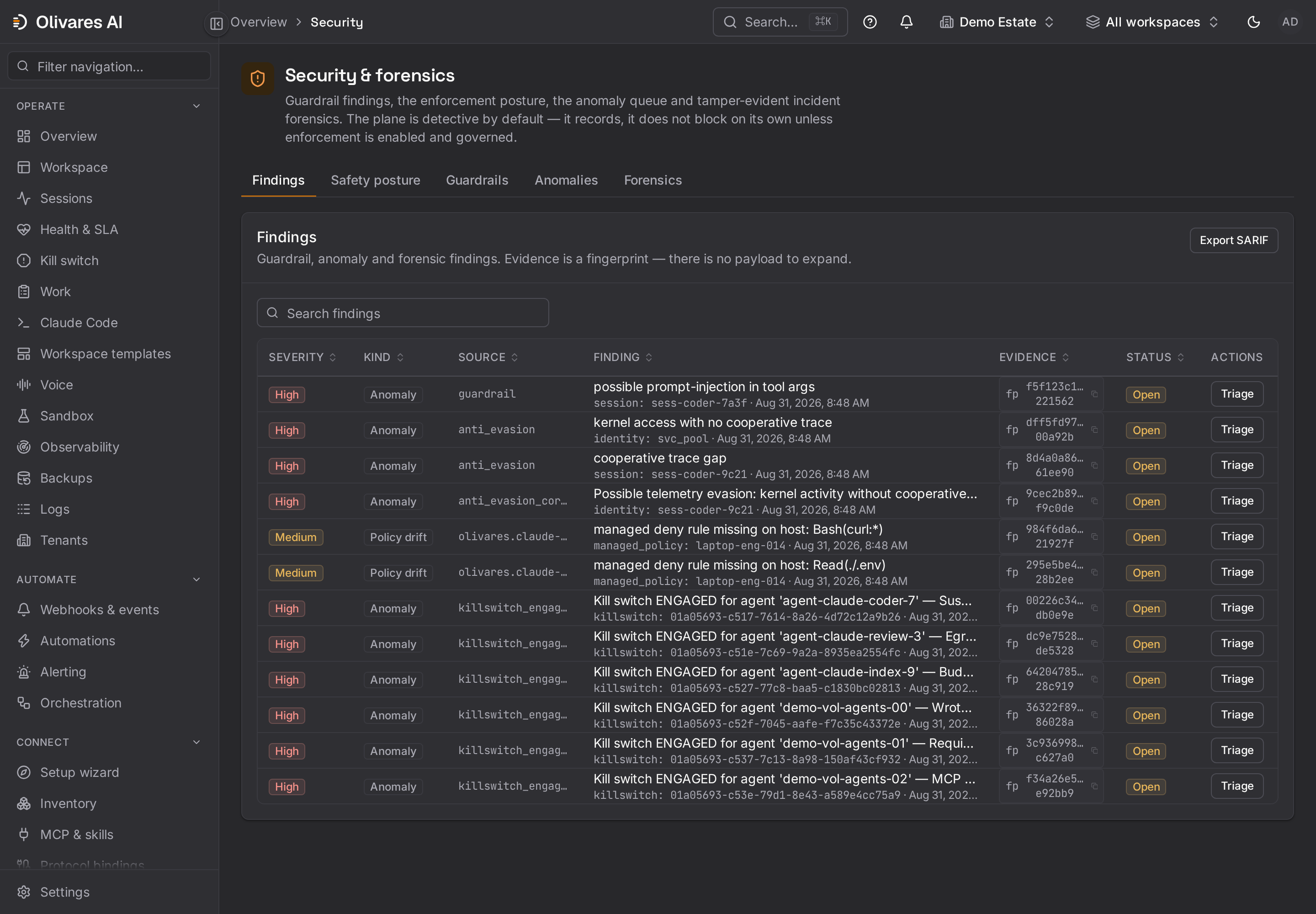
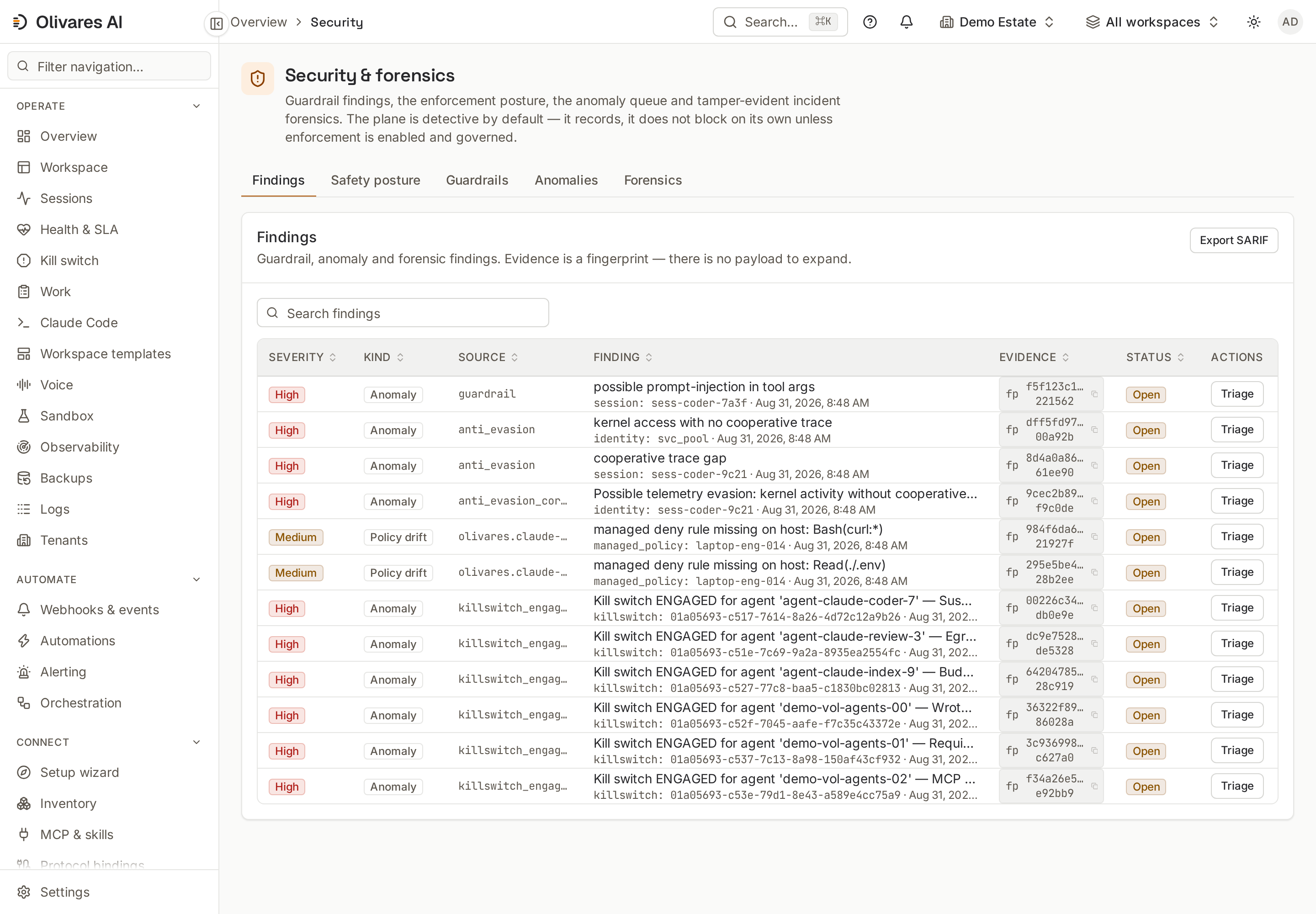
已观测和已强制的 sandbox profile、MCP 名称、requirement 的存在性/有效性、managed-settings compatibility,以及已禁用 hook 名称。 | “不可读”仍为 unknown,不会变成缺失。 |
Sessions(/sessions) |
session、action、identity、permission mode、最近 activity,以及 enforced 或 observed posture。 |
需要 hook event。本地 inventory 不会创建 session。 |
Audit(/audit) |
可归属的 PEP 决策和链式 evidence。 | 只存在于到达 PEP 的 call;已禁用 hook 会留下 gap。 |
不要期待 model catalog、xAI spend 或 prompt:此 source 不使用 xAI API,OTLP 接收端会丢弃 content。
生产环境使用
Section titled “生产环境使用”- Linux endpoint baseline: 把
requirements.toml作为 root-owned 文件分发,并轮询每台主机。 缺失会成为 actionable finding,而不是绿色默认状态。 - MCP 控制: 比较用户声明的名称与管理员固定的名称。
GROK_CONFIGvariable 无法添加 MCP、 authentication 或 egress 等 sensitive table;该保护来自 Grok,Olivares 只报告它而不重复实现。 - Hook canary: 先使用一个无害工具,并确认 event、decision 和 effect。随后持续监控
disabled-hooks,因为 control 可能按名称消失。 - 共享 endpoint: 配置指向实际运行 Grok 的账户
HOME的绝对路径。Olivares 服务的~可能 解析为另一个用户,从而对错误的主机 profile 做出准确测量。 - 最小遥测: 只有在需要 aggregate signal 时才启用 OTLP,并预留专用本地 socket。对于预防性治理, 优先保证 hook 可靠执行。
强制执行与仅观测的内容
Section titled “强制执行与仅观测的内容”| Surface | 实际行为 |
|---|---|
grok source |
仅观测、read-only。 读取文件并发出 finding;不修改 Grok Build,也不调用 xAI。 |
/etc/grok/requirements.toml |
在 agent 中强制执行受约束的 sandbox 与 MCP 值。Olivares 验证其存在及声明效果。 |
~/.grok/config.toml |
已观测的 preference。 它本身不是 administrative policy。 |
pre_tool_use 上的 olivares grok-hook |
当 command 运行并以 2 退出时,可以阻止工具。PEP 缺失或失败时,client 以 deny-closed 拒绝。 |
| 其他 Grok event | 仅观测。 拒绝保留为 evidence,但 event 没有等效 veto。 |
| timeout、crash 或从未运行的 hook | agent fail-open。 Grok 继续运行;olivares grok-hook 内部的 fail-closed 行为仅在 process 被调用时生效。 |
~/.grok/disabled-hooks |
甚至可以禁用受管 hook。 Olivares 会事后检测,但任何 requirement layer 都无法阻止。 |
| OTLP 接收端 | 观测 aggregate。 不认证、不保留 content,也不替代 hook timeline。 |
不能仅因 sandbox 已固定就宣称 deployment “enforced”。完成条件包括:effective requirement、实际运行的
hook、持续确认其名称不在 disabled-hooks 中、一个可见 event,以及经实证的 pre_tool_use veto。